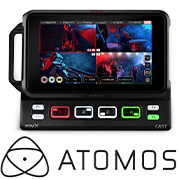
The combination of the Ninja V and AtomX CAST becomes the Ninja CAST.
Ninja CAST is for video creators or anyone who wants to make broadcast quality multi-camera programs simply and quickly from anywhere. Add professional broadcast quality features to your online meetings, presentations, remote learning/training, virtual conferences, demonstrations or engaging corporate videos.
Best of all, Ninja CAST is simple and easy to use — you don’t need to be a video professional to achieve great looking results.
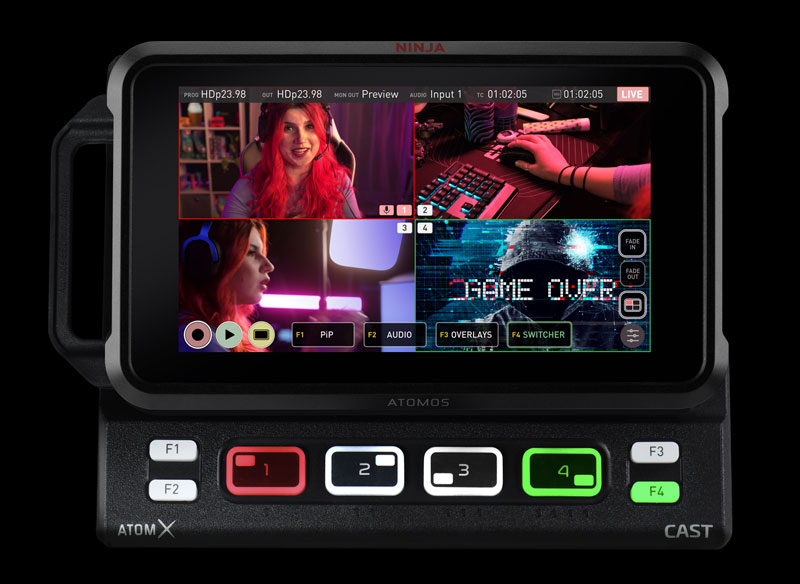
Ninja CAST is a fully functional stand-alone switcher, multiview monitor and broadcast quality recorder that does not require a computer to function. With a high quality 5” HDR touchscreen monitor, 4 x HDMI inputs and physical buttons, the Ninja CAST is the ultimate portable live switching & streaming solution.
Adding Ninja CAST to your production arsenal also gives you the multi-award winning Ninja V – the ultimate 5″ HDR monitor-recorder. As an on-camera monitor, the Ninja V records up to 5.9Kp60 ProRes RAW, provides accurate HDR and LOG>PQ/HLG monitoring and more.
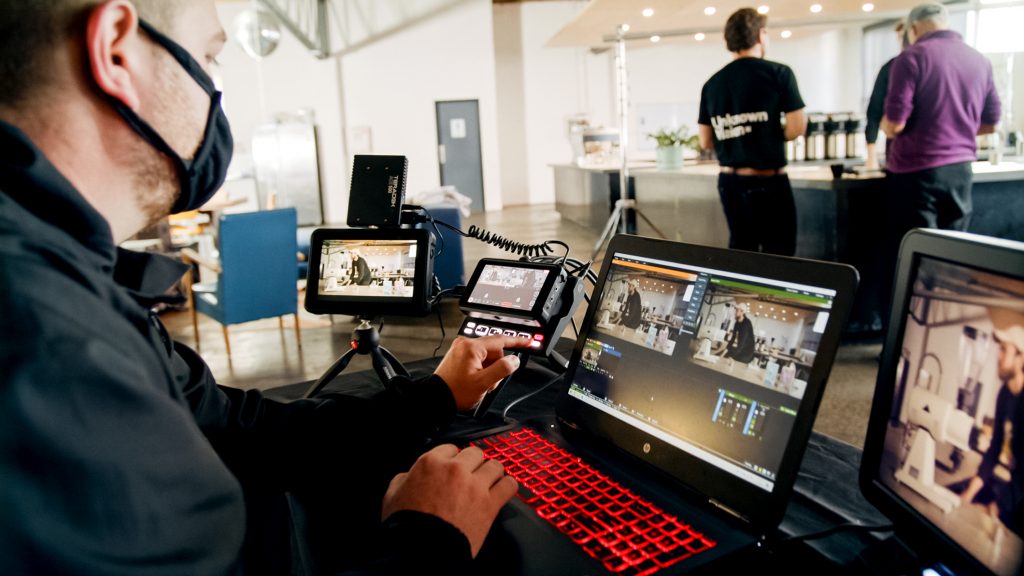
The flexible control options of Ninja CAST allow you to use either the touchscreen or the physical buttons to ‘switch’ between sources to select the output for your WebCAST or BroadCAST. The illuminated buttons for each input and colored LED lighting for Program and Preview status further simplifies operation and allows you to easily switch & livestream in dimly lit environments.
Connect any
full HD video source
Connect mirrorless or DSLR cameras, video cameras, computers, consoles or even pre-recorded content via HDMI. There’s no need to worry about synchronization, as you can mix and match frame rates up to 60p.
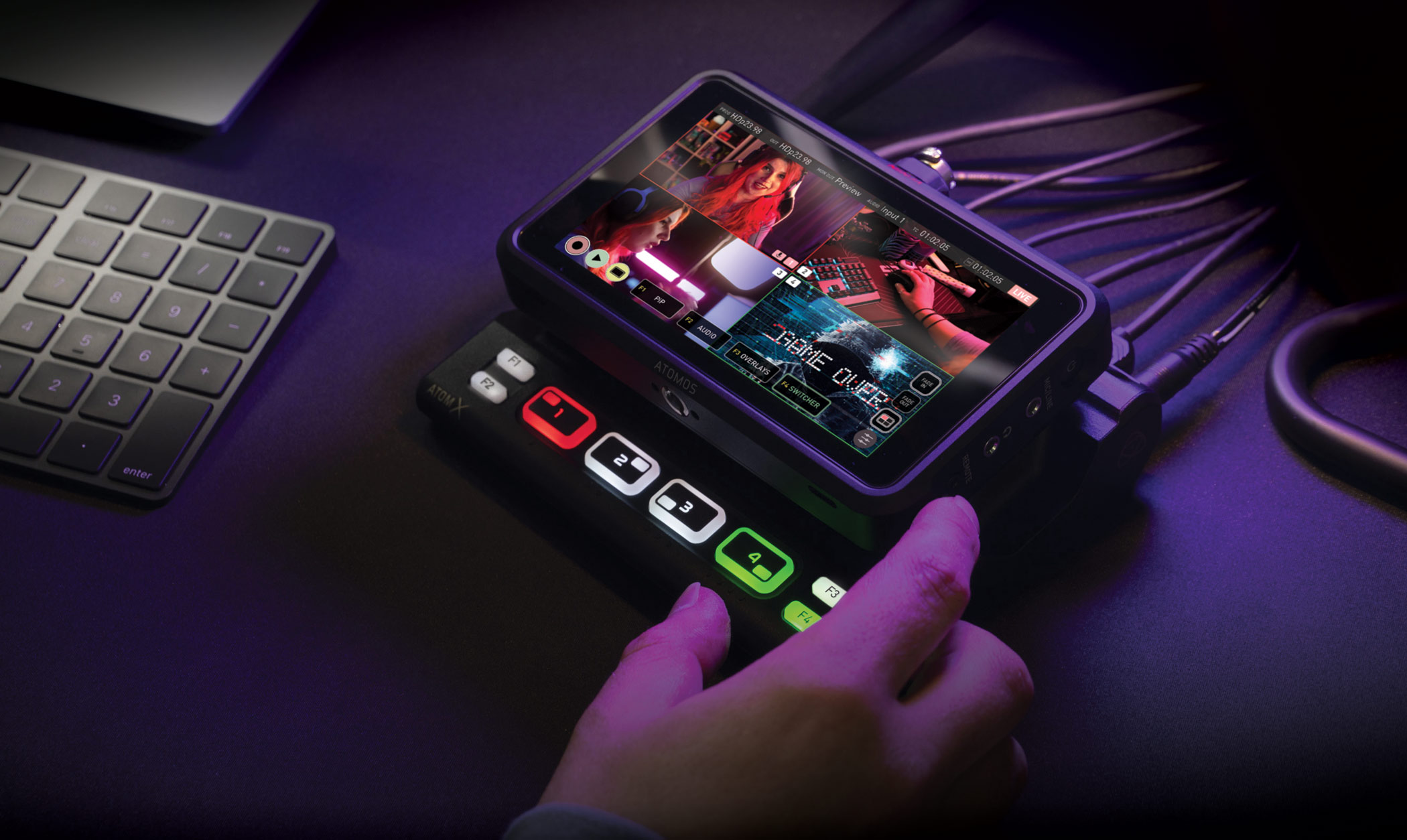
With the Ninja V docked in, the AtomX CAST connects via USB-C to your computer and appears as a high-quality webcam. Plug and play allows it to work immediately with all your video applications like Zoom, Teams and Skype without the need to install drivers on the computer first. Add up to 4 camera inputs to bring your presentation or meeting to the next level.

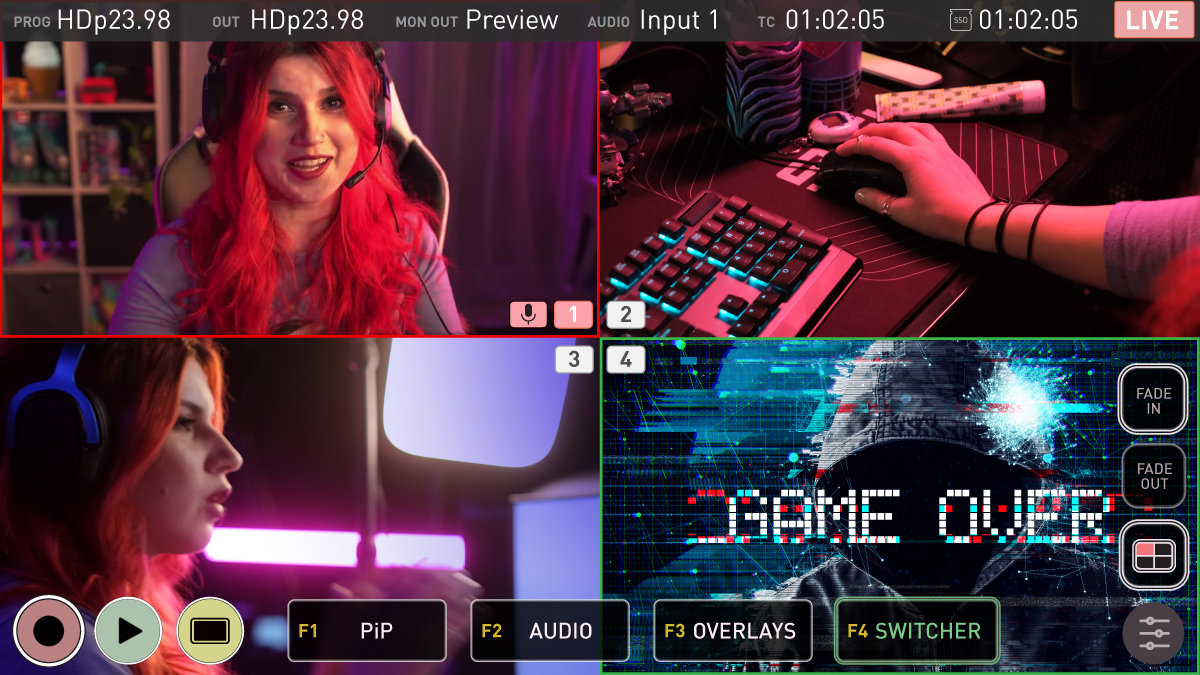
Having an integrated monitor allows you to see the incoming signals as a multiview display, without having to connect an additional monitor. With the Ninja V docked into the AtomX CAST, you can utilize its high quality 5” touchscreen for setup and the monitor-assist tools for exposure, focus and image analysis for optimising your shots. In the single input view, Ninja CAST also offers all the same essential monitor assist tools available from your Ninja to allow you to nail exposure and focus on individual inputs.
Essential monitor-assist features at your fingertips
Multi-view
Customizable
Exposure
Critical Focus
Enhance your brand,
your video and your reach
Sophisticated features like logos, mast head graphics and lower third titles will make your productions look incredible, and the dedicated controls for these functions make them easy to use. Add custom graphics for branding your content, with support for transparency, sponsors’ logos and other on-screen information to your production and configure the layout on the Ninja touchscreen.
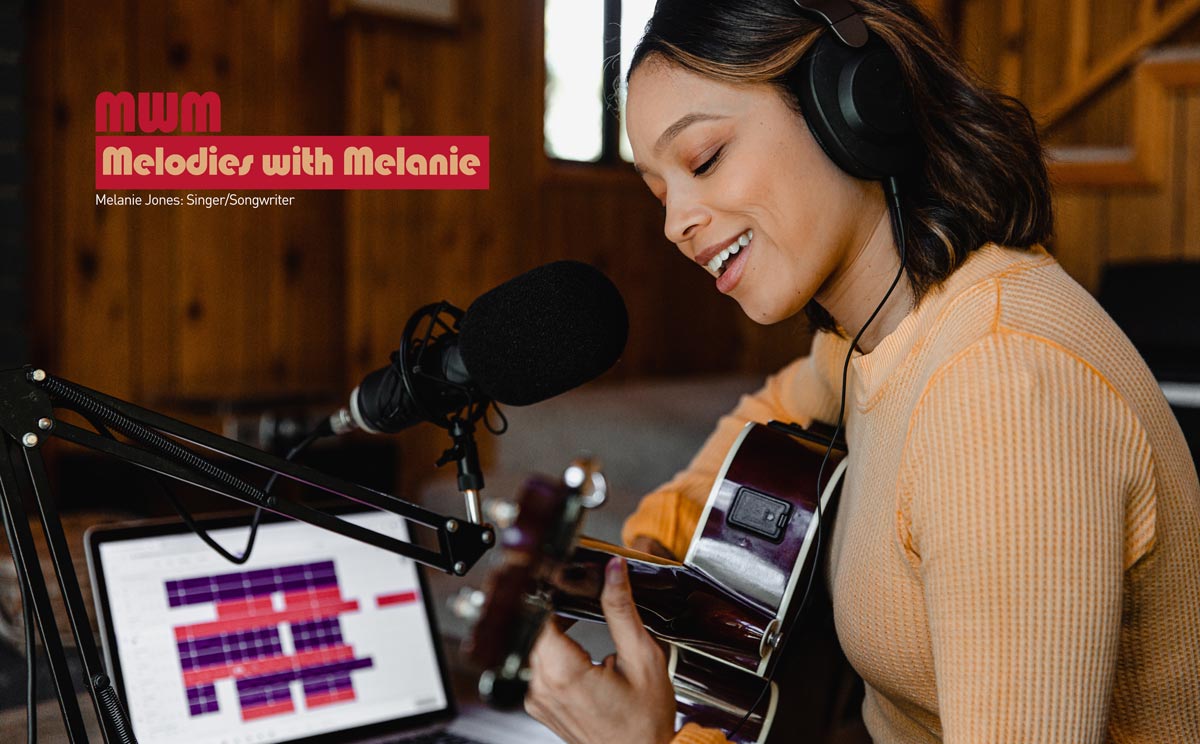
One of the benefits of using Ninja CAST with a multi-camera setup is that you can use the Picture-in-Picture function to display two inputs at the same time. Any of the four HDMI inputs can be used for a Picture-in-Picture effect over the program output with controls for size and location of the overlayed image. You can display a close-up of a product on your desk and display your face as a Picture-in-Picture at the same time whilst you talk about the product.
Stream Live.
Your Content.
Your Way.
The Chef
The Ninja CAST is a mobile production studio in your pocket. If you have the cameras to make it happen then Ninja CAST gives you all the necessary ingredients to cook up an amazing video presentation. With 3 or 4 cameras attached you can switch between wide shots, close ups, overhead views and more. It’s super easy to add titles and logos to make your video look professional. Ninja CAST is easy to use and with the integrated monitor of Ninja V as well as external preview and program output options you can cue, switch & livestream with confidence.

The Gamer
Ninja CAST is a versatile option for anyone who wants to livestream. A compact TV studio in your pocket – just add cameras, console connect to your PC and go live! Gamers and Vloggers can take advantage of the 4 HDMI inputs to shoot multicam with affordable mirrorless and POV cameras, add a gaming signal via output from your gaming console/splitter, and even add other inputs via slideshows or pre-recorded contents from your Mac or PC. Easily switch the program signal, add features like Picture-in-Picture or graphic titles & overlays. The options are expansive and open up countless creative applications. The USB-C output from the Ninja CAST is ready to stream and once you’re connected you are ready to go live.
Beauty Guru
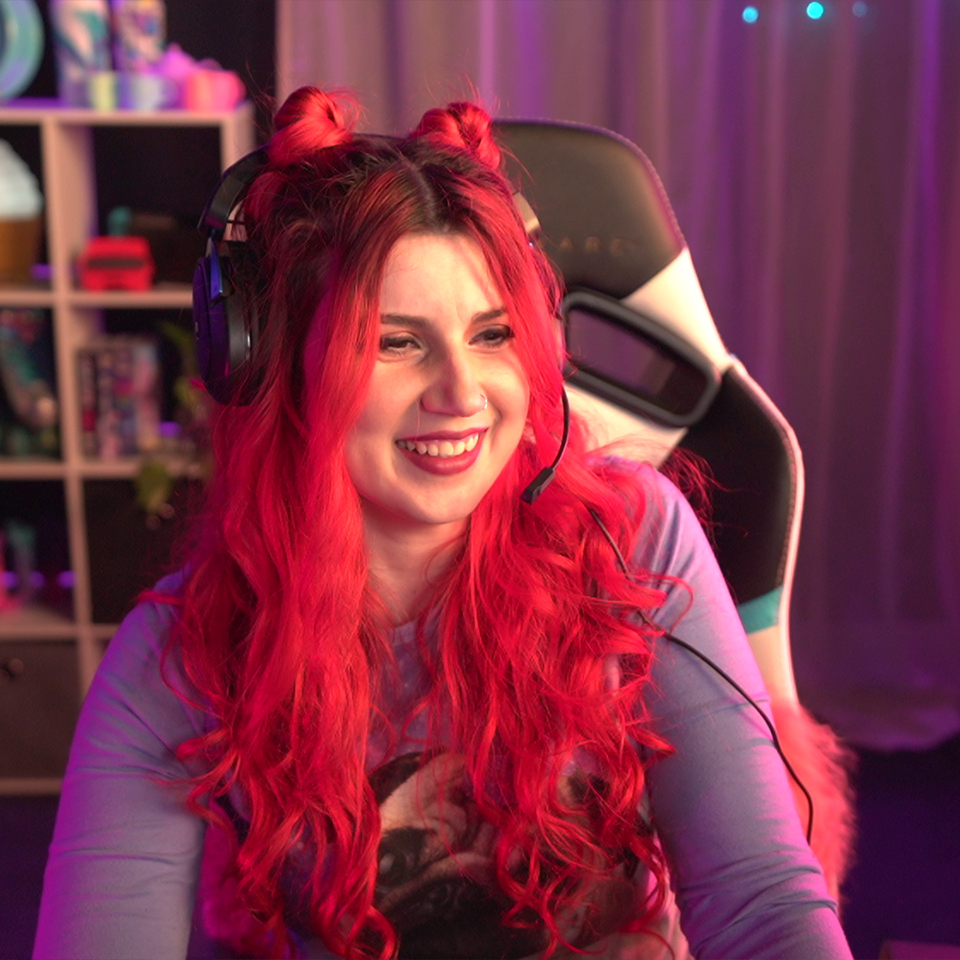
Take your video content to the next level with the Ninja CAST. Introduce multiple camera angles, add your own custom overlays and master picture-in-picture with a simple tap of a button. Ninja CAST gives you instant access to all the monitor assist tools of Ninja V – helping to ensure your image is crisp and exposure is correct. Ninja CAST also lets you send your program or preview signal to an external confidence monitor and simultaneously output the program to a large monitor for talent or crew viewing. Ninja CAST is livestream-ready via the USB-C output – just connect to your Mac or PC and you are ready to go live.

Live Band
& performance
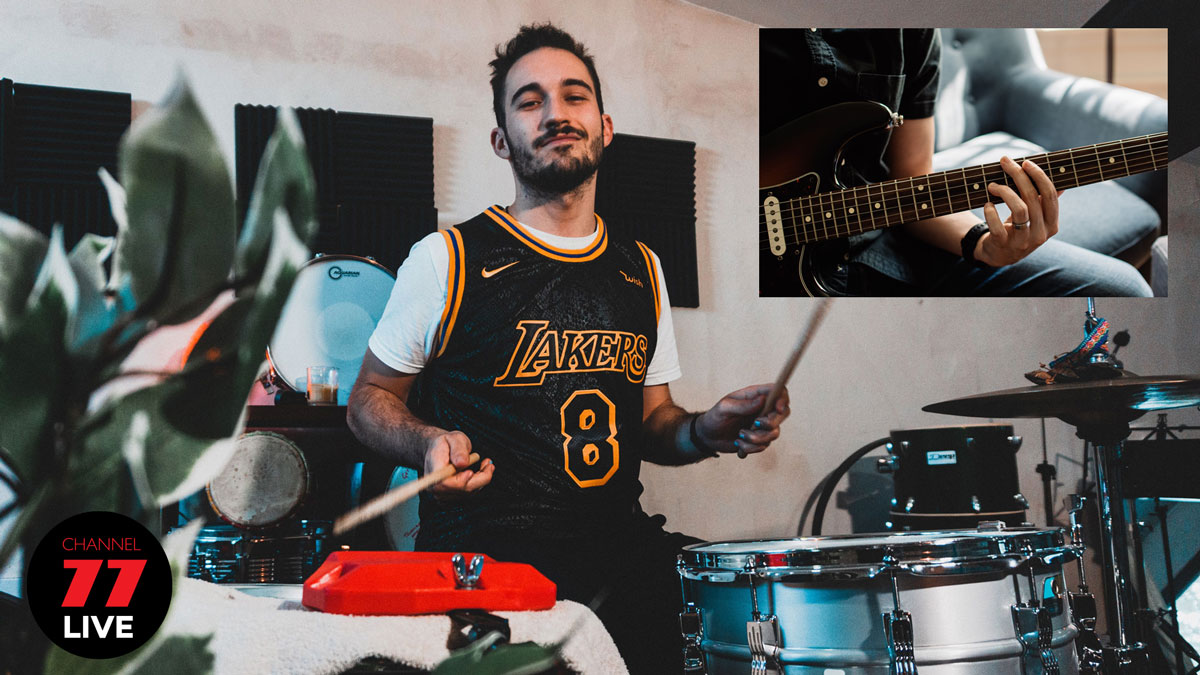
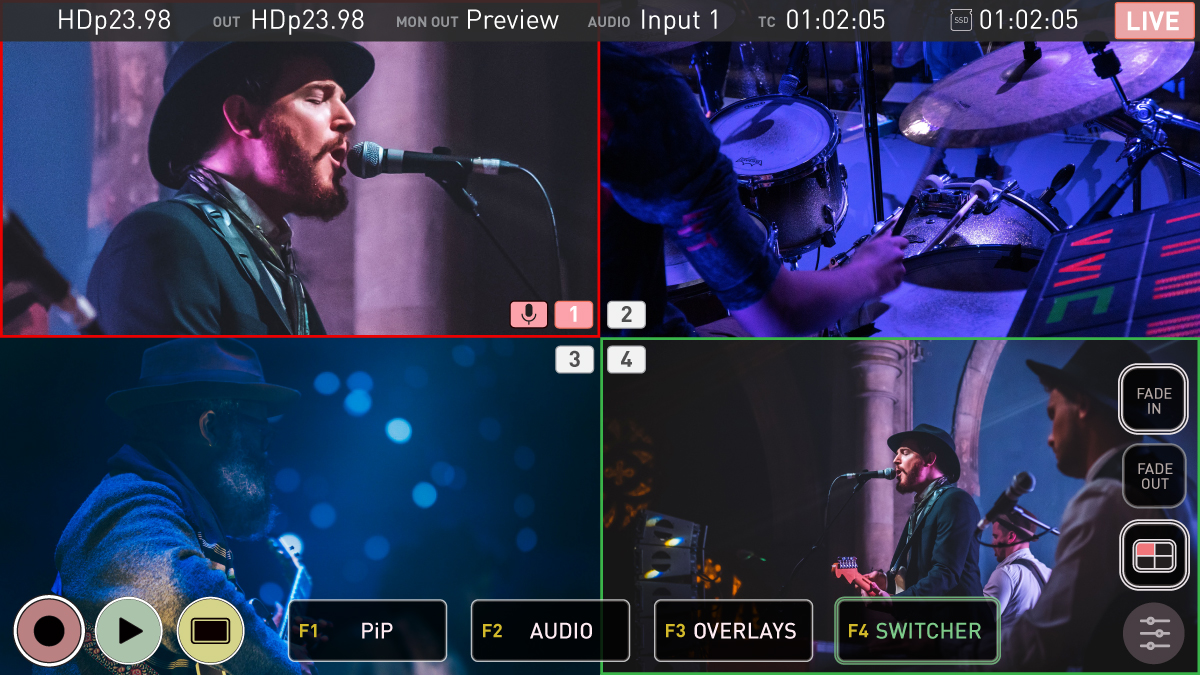
Connect with your fans like never before. Ninja CAST gives you creative freedom for performance and live-streaming. With four cameras attached, you can cue & switch, while monitoring via the Ninja V display, as well as monitoring preview via Ninja V HDMI output and Program via the AtomX CAST HDMI output. Simultaneously record the live program channel to SSD for editing and sharing on other platforms. For the director and crew, Ninja CAST lets you select the option for multiview and use the ninja screen to monitor a single inputs to ensure focus and exposure is on point, via Ninja V’s professional monitoring tools. Frames guides, waveforms, focus peaking, false color, zebras and more.
Weddings,
Parties,
Anything.
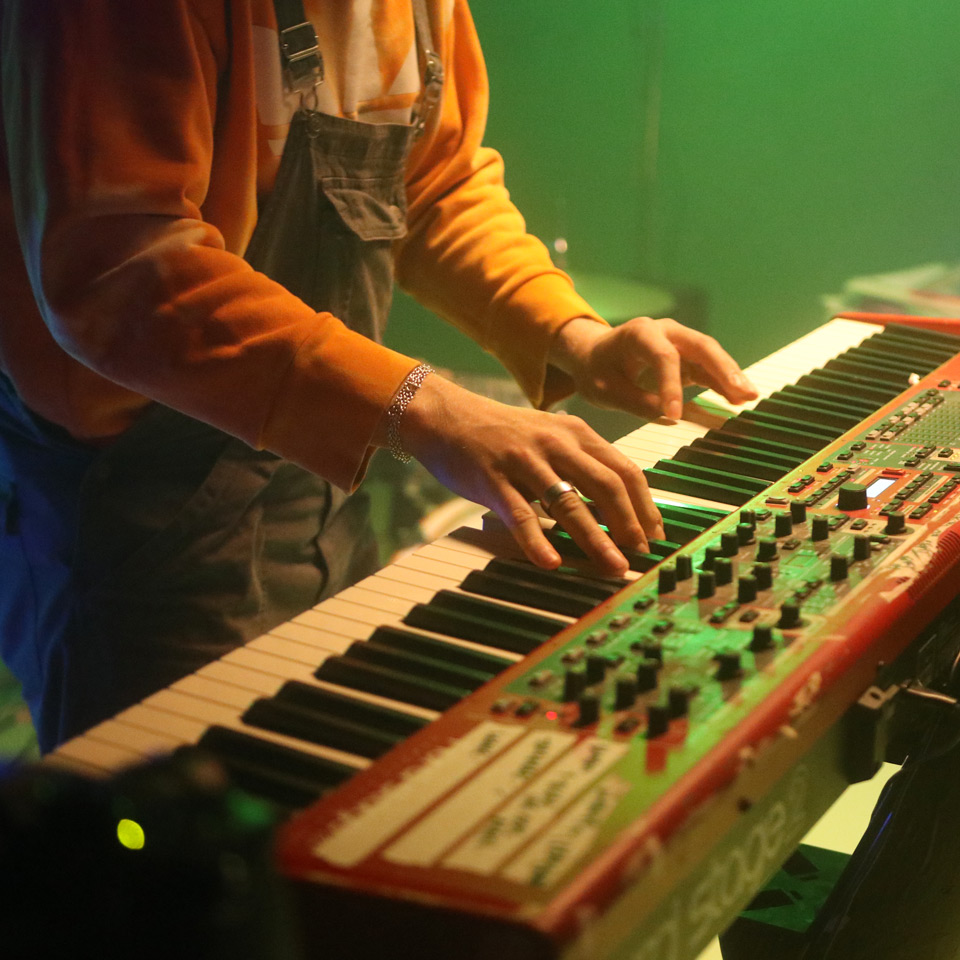
Ninja CAST presents an almost unlimited amount of potential uses, from House of Worship and Live Events to Corporate Presentations and remote learning. Professional multicam productions, live switching and live-streaming is now even more accessible. Ninja CAST simplifies operation and can easily be used as a single operator or expanded to bring in a larger crew with the ability to add additional screens for a director and confidence monitoring for your talent. Ninja CAST is a compact all-in-one solution that easily fits in your camera bag and has you covered for multicam, streaming, recording and so much more. Discover Ninja V

Configurable and
adaptable
As AtomX CAST is so compact and versatile, users can easily work alone or with a team to enhance their productions. Solo operators can transport the Ninja CAST in a small backpack and then use it discreetly with compact mirrorless cameras for productions of any size. For larger setups, the Ninja V/V+ HDMI output can be used as a secondary output that can be set up as a duplicate program out, preview monitoring for the crew or talent, or to connect to a larger multiview display.
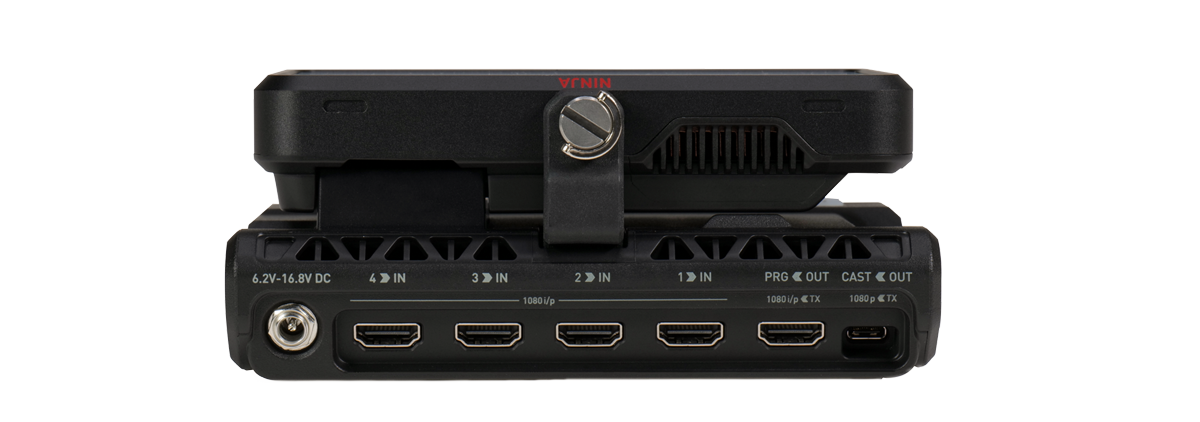
Versatile I/O allows for Program, Preview and more.
FHD 1080 i/p
Web Ready
Program + Assignable
Program / Preview
AtomX CAST connected to a Ninja V is a fully functional stand-alone switcher, but you can also use it with a computer for more advanced video work. In this mode, AtomX CAST and Ninja V does the heavy lifting, taking the load off your computer and reducing the likelihood of software crashes with dedicated external video processing.
Simply add AtomX CAST as a media source in OBS, X-Split and VMix to make use of the software application’s additional graphics and scene configuration while using the CAST for video input switching.
Stand out
from the crowd
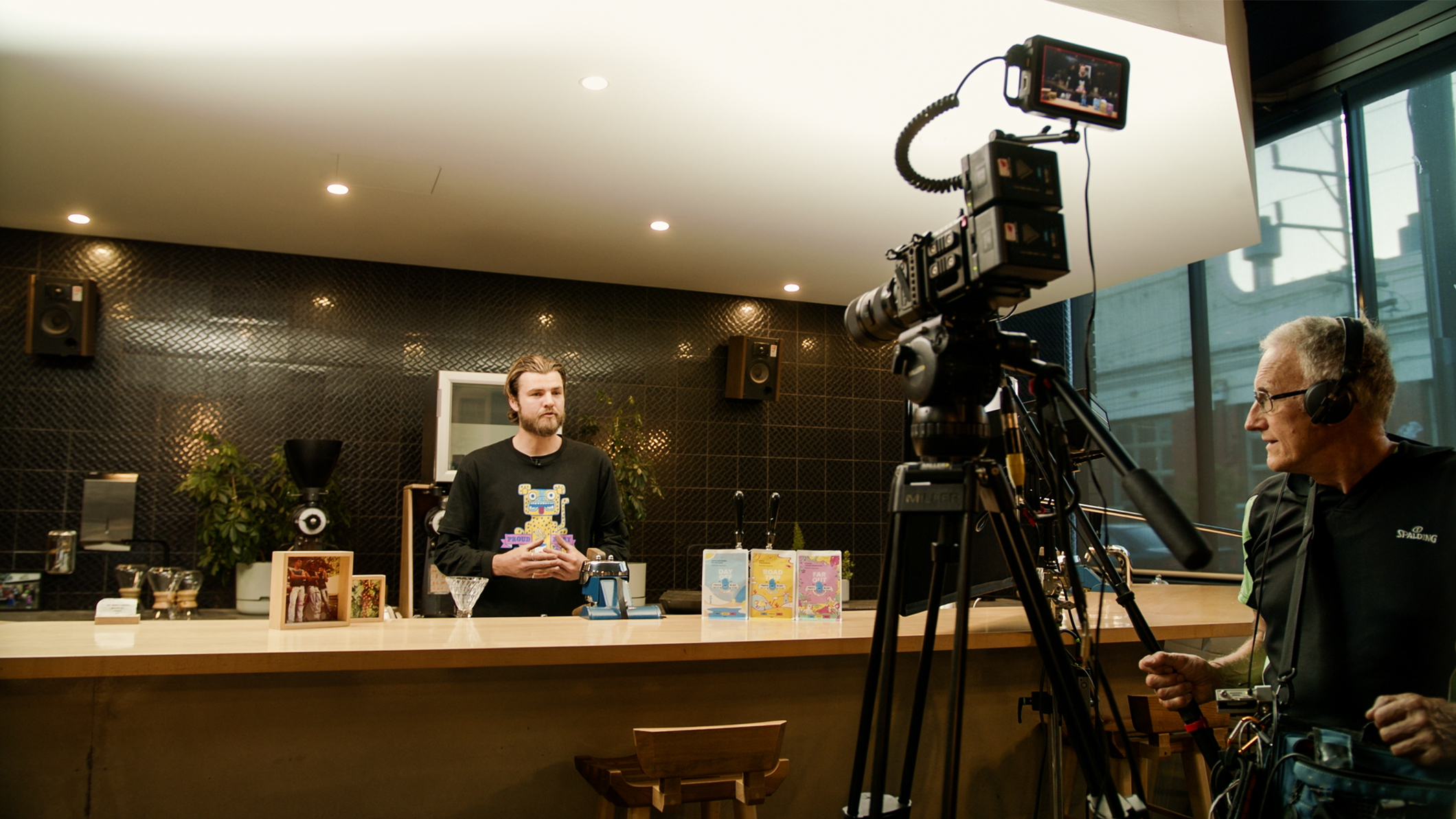
Using Ninja CAST with a camera that has a clean HDMI output and your choice of lens allows you to bring professional production values to any online video stream or meeting. Bring a cinematic look that is dramatically different from the image and impact of your message, putting yourself ahead of the crowd relying average webcam. Utilize the tool in the Ninja V to check your light, camera angles and sound, and you will soon be making professional quality video productions. Many older HD camcorder or photo cameras can output great looking video via its HDMI port, bringing new life to equipment you may already own and let multi-camera enhance your productions.
Broadcast Quality
Switching and Recording
With professional 10-bit 4:2:2 inputs, you get broadcast quality switching and the ability to record in broadcast quality codecs like Apple ProRes or Avid DNx.
AtomX CAST can deliver to a worldwide audience by sending a stream to your favourite streaming host, output a broadcast quality video signal to a local display, digital signage or video wall, and record with high quality edit-ready video codecs.
Record your events & livestreams for editing and sharing
Recording
Codec Options
Streaming
Media
| Physical Specifications | |
|---|---|
| Dimensions (W x H x D mm) | 129 mm x 70 mm x 160 mm |
| Weight | 845g / 1.86lbs |
| Mount points | Anti rotational 1/4” 20 / 3/8 on base of unit |
| Environmental | |
| Ambient operating temperature | Up to 40° C |
| Construction and Control | |
| Body | AtomX CAST: ABS plastic with locking arm. Ninja V: Aluminium alloy chassis with ABS Polycarbonate back plate. |
| Cooling | Active |
| Tally light | Record tally via Ninja V. Program and Preview illumination on CAST buttons |
| Control Buttons | 4 x Switching, 4 x Function |
| Multi-function button | Power / lock Screen |
| AtomXpansion slot | Yes, on AtomX CAST to connect to Ninja V (no module stacking or pass through) |
| Master control unit (MCU) | No |
| Power | |
| Input voltage | 6.2V to 16.8V |
| Compatible batteries | D-tap batteries via optional Atomos DC to D-Tap cable |
| Continuous power | Via DC connector |
| DC in connector | Locking DC connector from Ninja V DC power supply |
| Dtap | Via optional Atomos DC to D-Tap cable |
| Display | |
| Touchscreen | NINJA V – SuperAtom IPS panel (capacitive touch) |
| Size | 5.2" |
| Resolution | 1920 x 1080 |
| PPI | 427 |
| Bit depth | 10-bit (8+2 FRC) |
| Backlight Type | Edge lit |
| Brightness (cdm2 / nits) | 1000 |
| Aspect ratio | 16:9 |
| De-interlace mode | Interlaced to Progressive |
| Color Gamut | Rec.709 |
| Calibration support | Atomos Calibrator with Calibrite ColorChecker Display Pro / ColorChecker Display Plus |
| Color Pipeline | |
| Gamma | NINJA V – Sony SLog / SLog2 / SLog3, Canon CLog / CLog2 / Clog3,Arri Log CEI160 / LogCEI200 / LogCEI250 / LogCEI320/ LogCEI400 / LogCEI500 / LogCEI640 / LogCEI800 /LogCEI1000 / LogCEI1280 / LogCEI1600, Panasonic Vlog,JVC JLog1, Red LogFilm / Log3G10 / Log3G12, FujiFilmFlog, PQ (HDR10), HLG, Nikon N-Log, Olympus OM Log, Lecia L Log |
| Gamut | NINJA V – BT2020, DCI P3, DCI p3 65, Sony SGamut / SGamut3 / SGamut3.cine / Canon Cinema / DCI P3 / DCI P3+ / BT2020, Panasonic V Gamut, Arri Alexa Wide Gamut, Rec709, JVC LS300, Red DragonColor / DragonColor2 / RedColor2 /RedColor3 / RedColor4 / RedWideGamut |
| 3D LUT Display | NINJA V – .Cube Format. CAST – Not currently available during CAST operation |
| 3D LUT Output | NINJA V – Loop Out. CAST – Not currently available during CAST operation |
| 3DLUT 50/50 | NINJA V – Yes. CAST – Not currently available during CAST operation |
| Monitoring Modes | NINJA V – Native / HLG / PQ / 3D LUT |
| HDR output Conversion | NINJA V – Log / HDR to HLG / PQ / Dolby Vision |
| Video Input | |
| HDMI | 1 x HDMI 2.0 up to 4kp60 (Ninja V Stand alone use) |
| HDMI RAW | Apples ProRes RAW up to 6K (Ninja V Stand alone use) |
| SDI | Optional via AtomX SDI module (Ninja V Stand alone use) |
| SDI RAW | Optional with AtomX SDI + SDI RAW activation (Ninja V Stand alone use) |
| Bit Depth | 10-bit |
| Video Chroma Subsampling | 4 2 2 |
| Metadata | |
| HDMI | RAW – white balance, Exposure index, Shutter speed/angle, Iris F stop, ISO, Gamma, gamut (Ninja V Stand alone use) |
| SDI | File name from Arri, RED (Ninja V Stand alone use) |
| Video Output | |
| HDMI | CAST – HDMI 1.4b up to 1080p60 – Program ONLY. NINJA V – Multi function out – Program, Preview or Multiview |
| SDI loop out | Optional Via AtomX SDI module (Ninja V Standalone use only) |
| SDI Play out | Optional Via AtomX SDI module (Ninja V Standalone use only) |
| Multiview | Yes, via Ninja V |
| Video Chroma Subsampling | 4 2 2 |
| Bit Depth | 10-bit |
| Web Streaming | |
| USB UVC | USB-C up to 1080p30 |
| Video Signal Conversion | |
| HDMI to SDI | Optional Via AtomX SDI module (Ninja V Stand alone use) |
| SDI to HDMI | Optional Via AtomX SDI module (Ninja V Stand alone use) |
| Audio In/Out | |
| Audio Quality | 24/48kHz |
| Audio Codec | PCM |
| HDMI | 2ch 24-bit, input dependent per input |
| SDI | 12ch 24Bit, input dependent (Ninja V Standalone use only) |
| Analogue Audio in | 3.5mm via Ninja V |
| Headphone out | 3.5mm via Ninja V |
| Timecode / Sync | |
| Embedded | HDMI |
| LTC | Via 3.5mm audio Jack input – requires post processing (Ninja V Standalone use only) |
| Wireless SYNC | Via Optional AtomX SYNC Module (Ninja V Standalone use only) |
| Resolution and Frame Rates (Record, Monitor & Playback) | |
| 4k DCI | 23.98/24/25/29.9/30/50/59.94/60p (Ninja V Standalone use only) |
| 4k UHD | 23.98/24/25/29.9/30/50/59.94/60p (Ninja V Standalone use only) |
| 2K DCI 2046 x 1080 | Optional via AtomX SDI module (Ninja V Standalone use only) |
| Anamorphic | 3.5k: RAW up to 60p from supported cameras (Ninja V Standalone use only) |
| FHD 1920 x 1080 Progressive | 23.98/24/25/29.9/30/50/59.94/60 |
| FHD 1920 x 1080 PsF | No |
| FHD 1920 x 1080 Interlaced | 50/59.94/60 |
| 1280 x 720p | No |
| SD PAL / NTSC | No |
| Recording CODEC | |
| Apple ProRes | LT, 422, 422HQ |
| Avid DNxHD | DNxHD 220x,220,145,36 |
| Playback | |
| Apple ProRes | Yes, with Linear PCM audio |
| Avid DNx | Yes, with Linear PCM audio |
| Recording functions | |
| Pre-roll record | Yes (HD 8s, 4K 2s) – Not available in RAW (Ninja V Standalone use only) |
| Switched Program Record | Clean or CAST program record to Ninja V |
| Timelapse | Yes (Ninja V Standalone use only) |
| Multi Input / Switching | |
| SDI A/B toggle | via optional AtomX SDI module (Ninja V Standalone use only) |
| Multiple HDMI input | Up to 4 x HDMI up to 1080p60 (CAST) |
| Multiview Display | Quad input display on Ninja V Display |
| Multiview Ouput | Via Ninja V HDMI out – Set to Program, Preview or Multiview |
| Picture in Picture (PIP) | Any input over Any input, 4 positions in small or large size PIP |
| Graphic overlays | Select layout for Stored Graphics in Ninja V and save configured scene presets |
| Media pool storage | Upload and Store Graphics in Ninja V |
| Input transitions | Fade in / out and Dip to – White / Black |
| Supported media | |
| SSDmini | Yes. The included AtomX SSD mini handle adaptor is recommended |
| File System | ExFat |
| On screen tools | |
| Waveform | Yes, 3 size / position |
| RGB parade | Yes, 3 size / position |
| Vector scope | Yes, 2 size / position |
| 2 x Zoom | Yes |
| Focus peaking | Color selected / threshold setting / color / mono / edges only |
| False colour | Yes, with scale |
| Zebra | Yes, adjustable |
| Isolate color channel | Blue Only |
| Cine Frame Guides | 2.4:1, 2.35:1, 1.9:1, 1.85:1, 4:3 |
| Social Frame guides | 9:16, 1:1, 1.91:1, 4:5 |
| Safe areas | Action and Graphic |
| Grid markers | 9 grid |
| Anamorphic desqueeze | 1.25x 1.33x , 1.5x ,1.8x ,2x |
| Display Flip | Vertical Only |
| Onboard Signal Processing | |
| Pulldown Removal | Interlaced to Progressive |
| Remote control | |
| HDMI | Auto HDMI Trigger, Supported Protocols – Canon, Sony, Atomos Open Standard (Ninja V Standalone use only) |
| SDI | SDI trigger camera selectable (Ninja V Standalone use only) |
| USB | Via cast software over USB |
| External Device Control | |
| Serial 2.5mm Jack | Not supported |
| Supported Applications | |
| Video Codecs | Zoom, Microsoft Teams, Skype, YouTube, Facebook Live, OBS, Twitch |
| What’s in the box | |
| Accessories included | Ninja V, AtomX CAST, International Power supply, USB-C cable, SSDmini Handle Adaptor, MasterCaddy II, Travel case & sleeve |
| Optional extras | ATOMDTPCB2 – D-Tap to DC cable, ATOMDCK004 – USB-C 3.1 Docking Station, ATOMDCK003 USB-A 3.0 Docking Station |